The Vote Bank allows you to purchase all of your votes at one time, on a single credit card transaction.
Once you have banked your votes, you can allocate them to multiple entries throughout the duration of the contest.
You can only use the Vote Bank while voting is live in a contest.
|
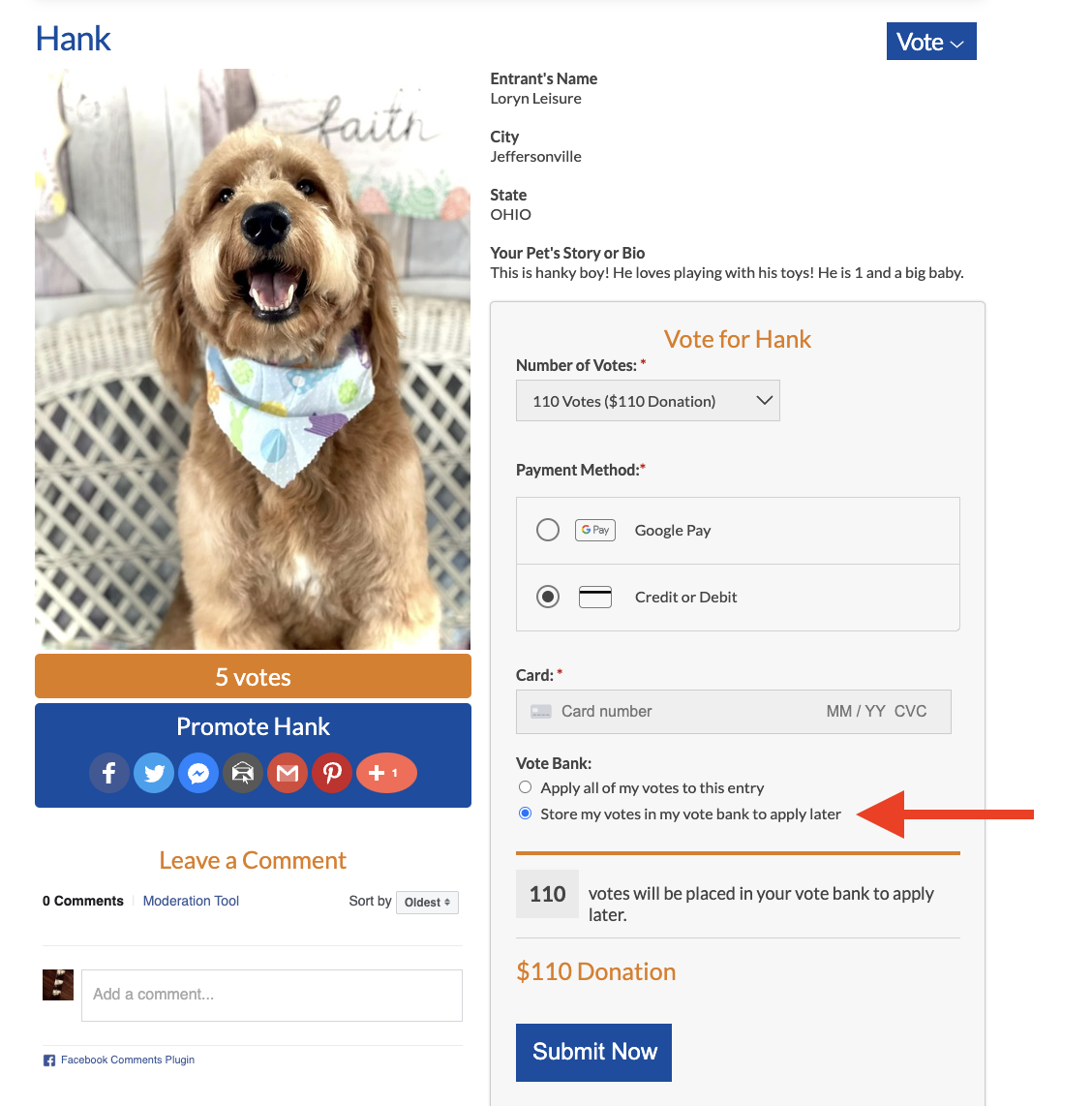
This is where you can find the option to bank votes when making a vote donation
(see red arrow):
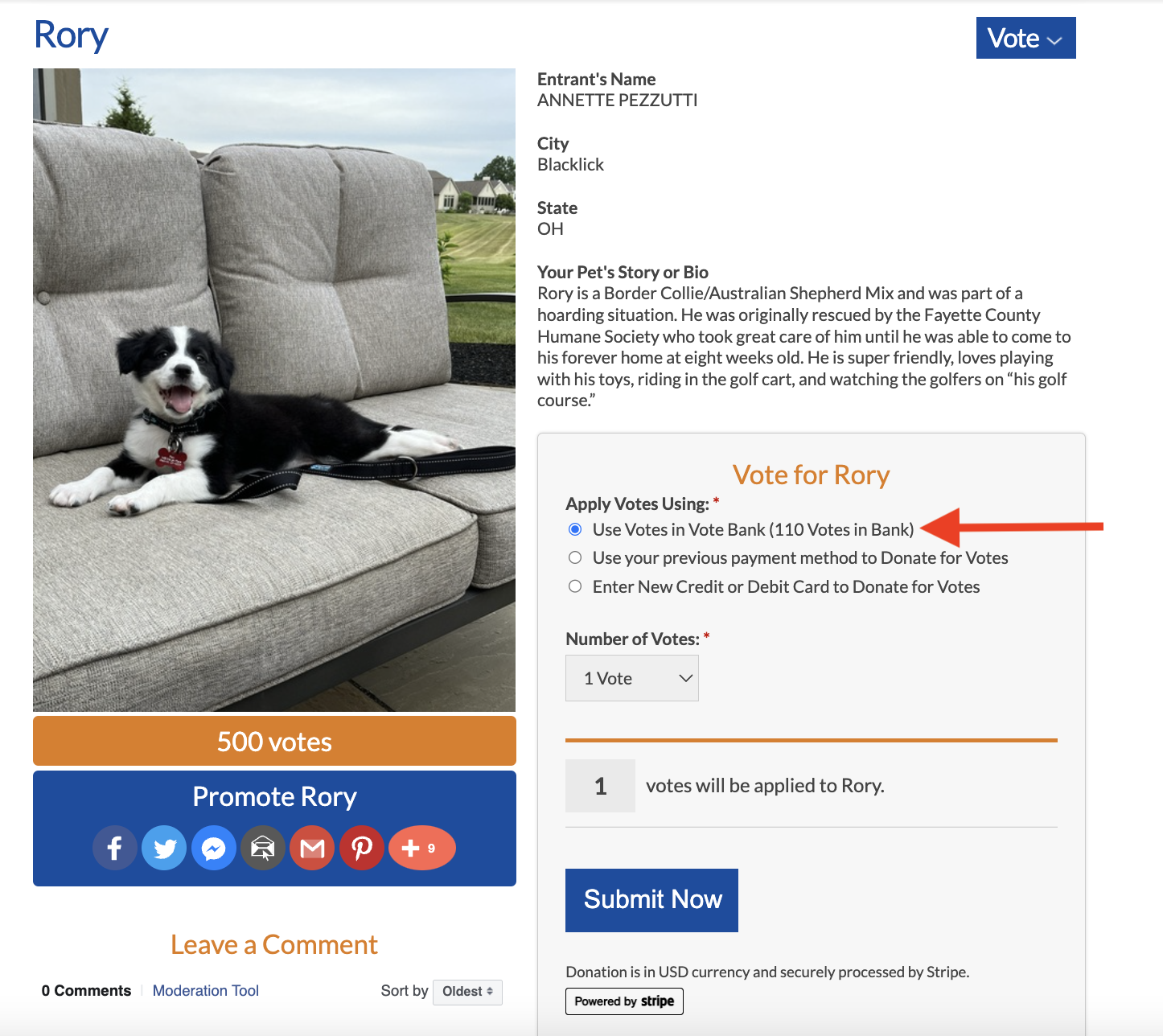
The next time you vote on an entry, "Use Votes in Vote Bank" will appear as a payment method (see red arrow):
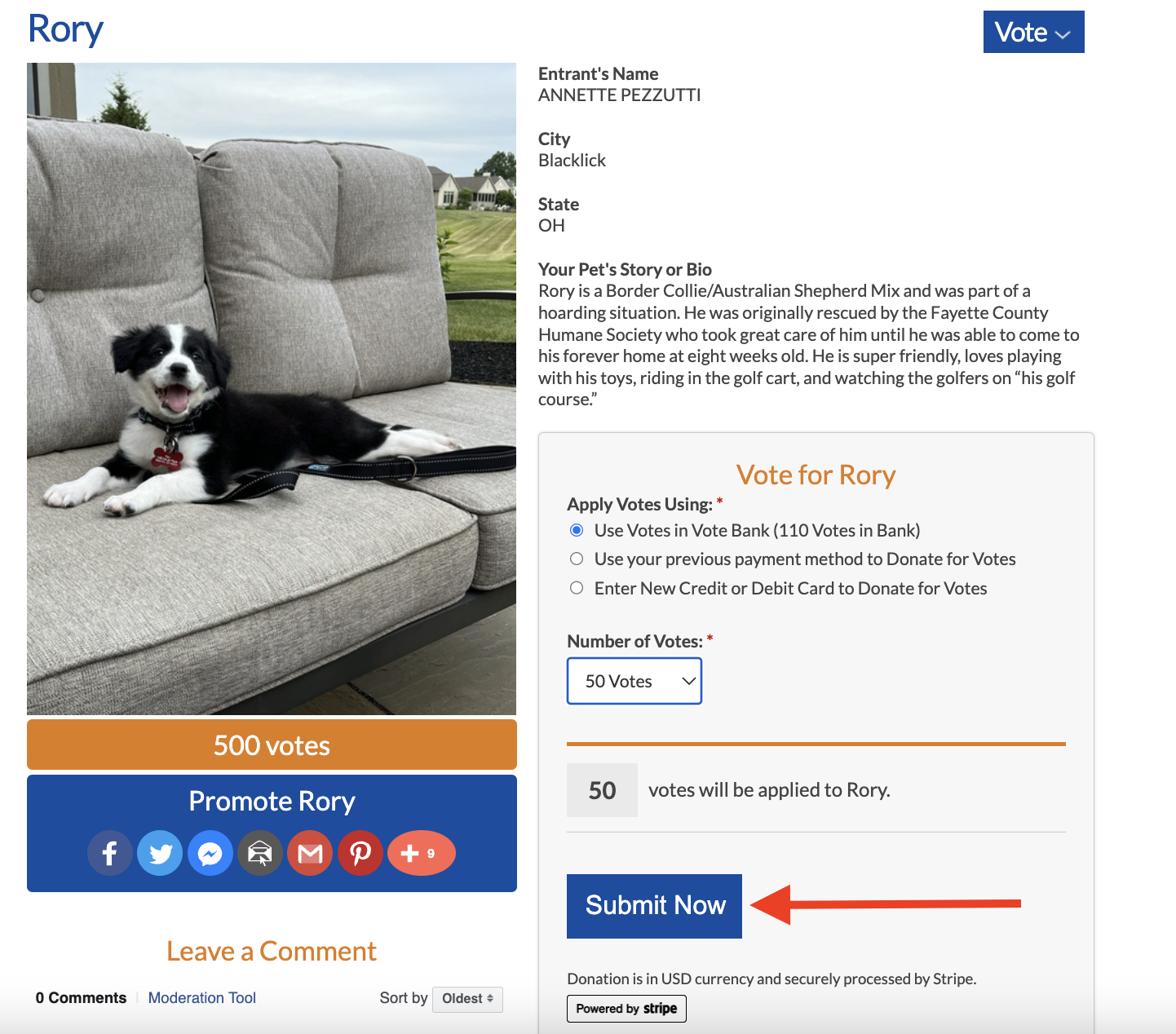
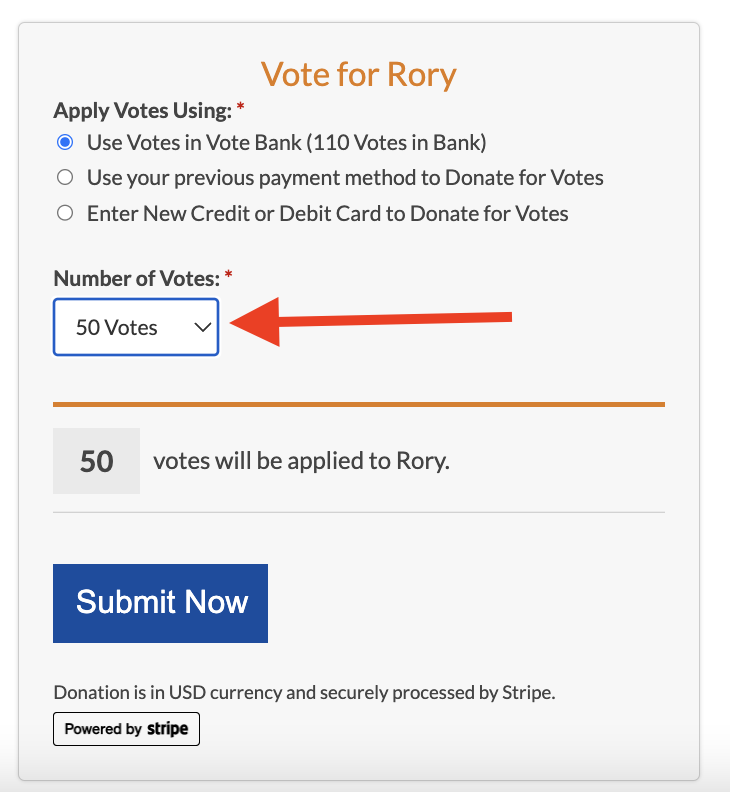
⚠️ IMPORTANT: Specify how many banked votes you wish to use via the Number of Votes drop-down:
Then, click Submit Now to apply your selected banked votes: